Photo Culling & Selection
Cull and select images according to the agreed requirements.

Professional photo editing
Consistent, natural wedding and event photo editing for professional photographers who need reliable post-production support.
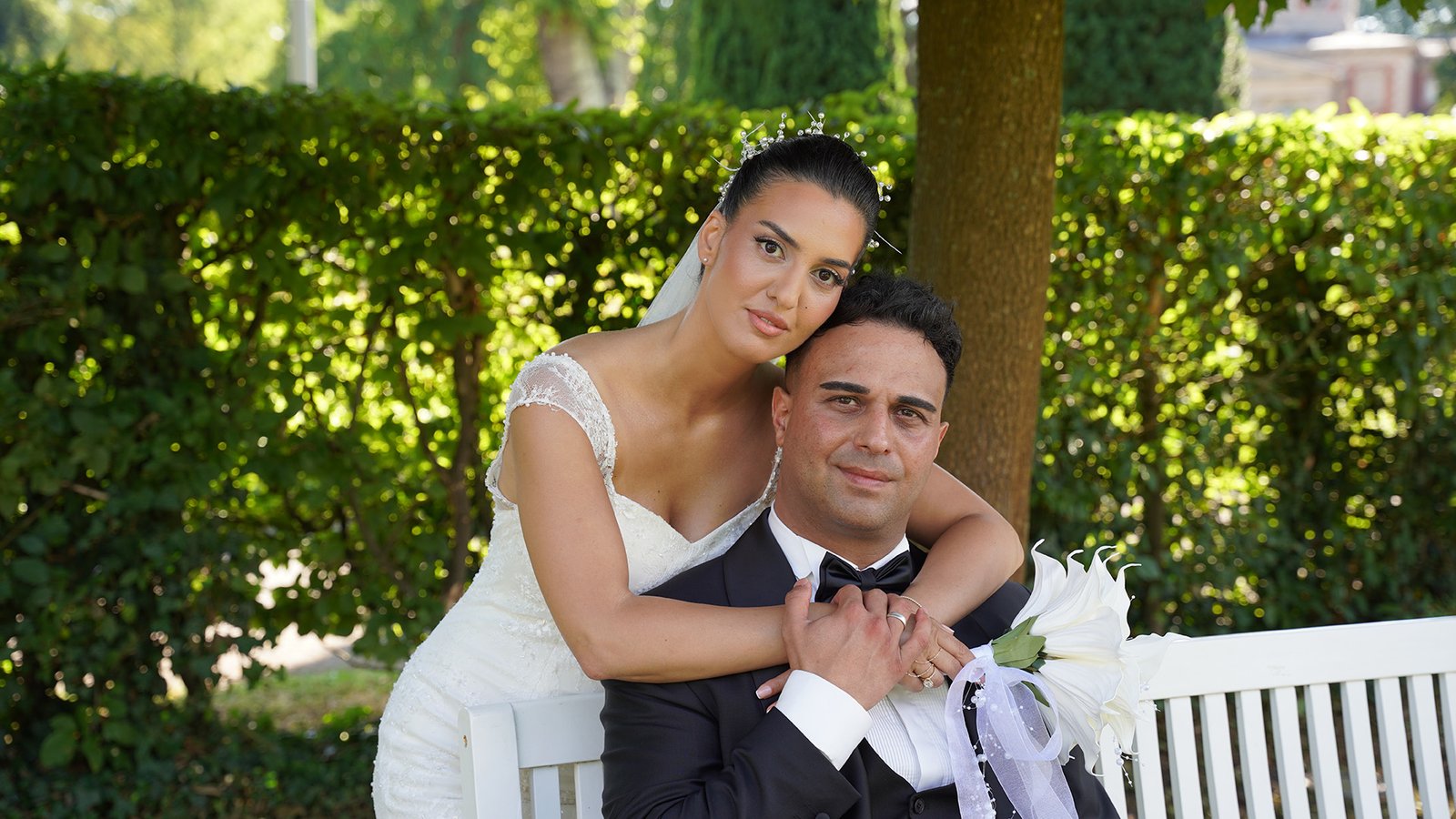
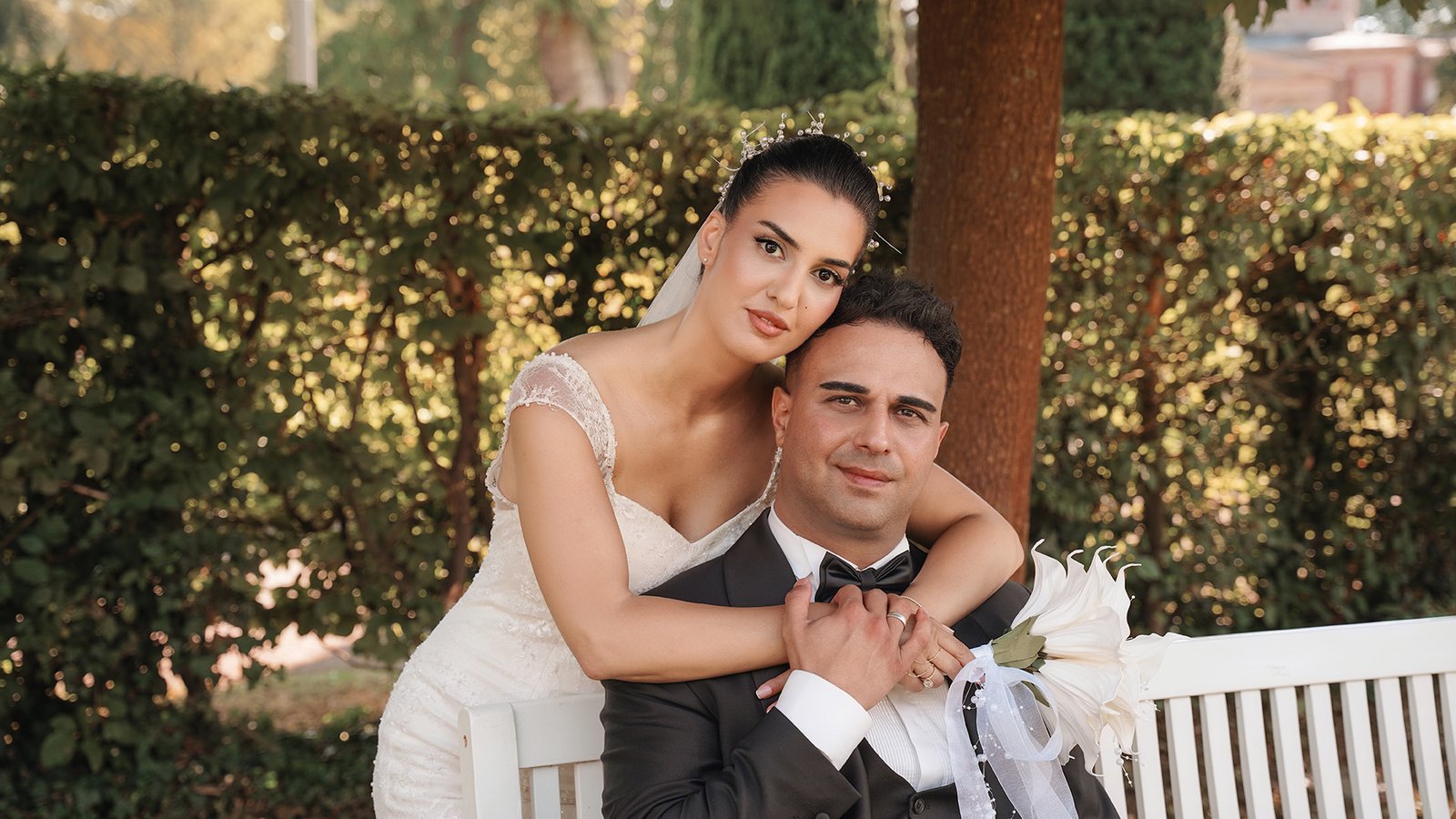
The editing details
Consistent, natural wedding and event photo editing for professional photographers who need reliable post-production support. From image selection and Lightroom color correction to detailed Photoshop retouching, we can adapt to your existing editing style and maintain consistency across complete galleries.
Cull and select images according to the agreed requirements.
Correct gallery color in Lightroom.
Balance exposure and white balance across changing lighting conditions.
Correct distracting skin-tone variation.
Match supplied editing references, styles, or presets.
Refine cropping and straighten compositions where needed.
Editing breakdown
Explore the requirements, editing approach, and final result behind each image.
Wedding & Event Photo Editing · Editing capabilities
Apply the listed edits consistently according to the supplied files and references.
Cull and select images according to the agreed requirements.
Correct gallery color in Lightroom.
Balance exposure and white balance across changing lighting conditions.
A consistent, natural finish aligned with the supplied reference.
Wedding & Event Photo Editing · Editing capabilities
Apply the listed edits consistently according to the supplied files and references.
Correct distracting skin-tone variation.
Match supplied editing references, styles, or presets.
Refine cropping and straighten compositions where needed.
A consistent, natural finish aligned with the supplied reference.
Wedding & Event Photo Editing · Editing capabilities
Apply the listed edits consistently according to the supplied files and references.
Remove agreed visual distractions from selected images.
Apply detailed retouching to selected images.
Maintain consistent color and finishing across the full gallery.
Additional capability in this segment: Lightroom Catalog / XMP Workflow.
Real client testimonials
“Kamal has been a highly reliable photo editor for our large-volume image production. His work is consistent, realistic, and delivered with great attention to detail. He handled thousands of images while maintaining the same quality and style across every batch.”
Edited image gallery


How it works
Select the closest editing workflow or ask for a custom recommendation.
Send a viewable Drive, Dropbox, or WeTransfer link with your instructions.
Approve the direction before paid production begins.
Download polished files prepared for your required channel and format.
Pricing & delivery
Final format, turnaround, and any additional work are confirmed in your quote.
Common questions
The starting scope is basic collection editing. Detailed skin retouching, object removal, and complex corrections require an agreed quote.
Share a viewable file link, an editing reference, required dimensions and format, image count, and deadline.
Start with a free sample to confirm the editing direction before paid production begins.
Minor adjustments within the approved brief are included. A different direction or additional work needs a confirmed scope.
Start with one image
Send a sample and a short brief. We’ll take it from there.
Please do not share passwords or payment information.
“Kamal has been a highly reliable photo editor for our large-volume image production. His work is consistent, realistic, and delivered with great attention to detail. He handled thousands of images while maintaining the same quality and style across every batch.”